Checking configurations before assessment
Before beginning a security assessment, XBOW runs a configuration check to validate that your environment is ready for testing. This preflight phase will take several minutes, but it reduces your chances of waiting until the end of the assessment to find incomplete or inaccurate results.
Note: A successful configuration check is a good sign, but XBOW does not stop checking there. It re-checks authentication, target reachability, and site health throughout the run, so if conditions change it pauses and tells you what to fix rather than failing silently or returning misleading results.
What happens during checking
XBOW checks that it can:
- Connect to the target URL
- Authenticate with the target
- Create concurrent sessions
- Discover domains to test
Until all the checks pass, you cannot run an assessment.
In addition, you may see a warning if XBOW requests are blocked by a web application firewall (WAF) on the application server. See Detecting web application firewalls.
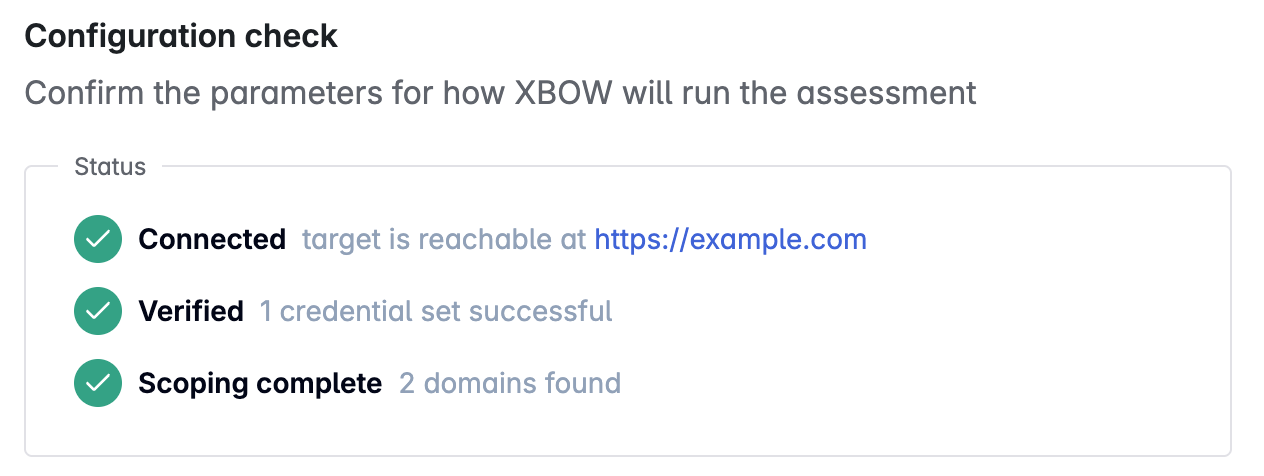
Connecting to the target URL
XBOW tries to confirm that the target application is accessible and responsive.
If this check fails, verify that:
- The application is running and deployed at the expected URL.
- Network connectivity is not blocked by a firewall.
- The application is not timing out or returning errors.
Authenticating with the target
XBOW attempts to authenticate using the credentials or other details you provided to ensure that it can log in and access the application.
If this check fails, verify that:
- The credentials match your application’s test account.
- The test account has not been disabled or expired.
- The test account has sufficient permissions to access the application.
- The CAPTCHA process is turned off for the test account.
Creating concurrent sessions
After authenticating successfully with the target, XBOW checks whether the server supports multiple concurrent sessions for the test account. If this check fails, you are prompted to enable sequential testing. Sequential testing is slower, but required by some servers.
This test is omitted when you enable “Sequential mode” as part of the “Execution options” in the configuration for the target.
Discovering domains to test
XBOW performs a preliminary exploration to identify application endpoints, user workflows, and any third-party services or APIs.
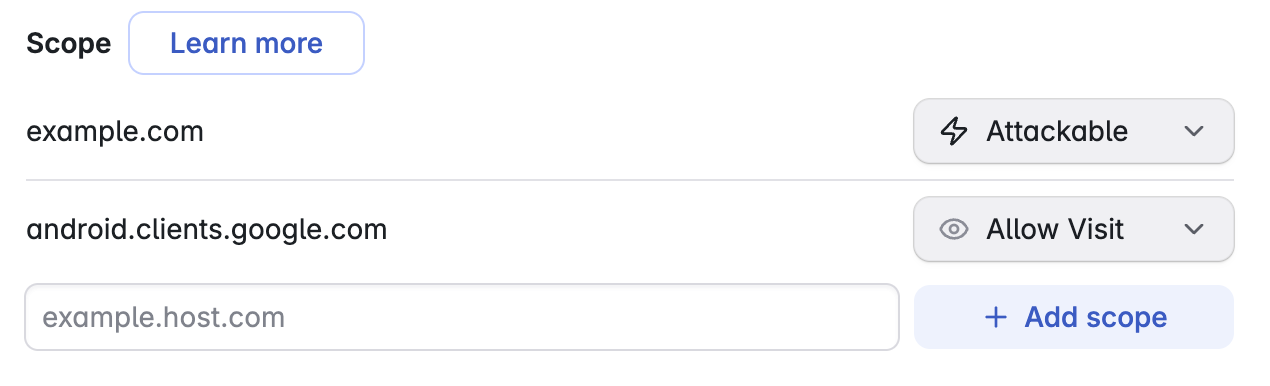
All domains discovered are displayed in a “Scope” area below the check status. Target domains and subdomains are marked as Attackable while third-party sites are marked as Allow Visit.
XBOW tests only the domains marked as “Attackable” and will visit any sites marked as “Allow Visit” without attacking them. You can change the setting for each domain. If you have an Enterprise account, you can also add missing domains.
Allowing XBOW to visit third-party sites your target relies on is critical to the success of your assessment. For more information see, Run assessment and Scope configuration.
Detecting web application firewalls
During the configuration check, XBOW also sends a small set of probes to detect a web application firewall (WAF) that could block testing traffic. This is in addition to the authentication check above, which only catches protections that block login.
If XBOW detects blocking, the “Configuration check” page shows a “WAF blocking detected” warning, listing what it found and the evidence for each blocked probe. This is a warning, not a failed check, so you can still start the assessment, but testing is likely to fail partway through and pause the assessment.
To get the most from your assessment, configure the server to accept XBOW’s traffic before you start. See Protecting targets during XBOW testing and Configure your server to allow XBOW requests.